Section 1: Login OCI and prepare for deployment
In this section, you will access the Oracle Cloud Infrastructure console, log in with your assigned credentials, select the correct identity domain, and change the OCI region to the lab region.
Step 1.1: Access OCI console
First, retrieve your assigned OCI username and password from the protected credential portal below.
Retrieve Your Lab Credentials
To retrieve your credentials, use:
- A shared Lab Access Key
- Your assigned Student ID
Open the protected credential portal:
Enter:
- The Lab Access Key provided by your instructor
- Your assigned Student ID, such as
student24
The portal will display only the credentials assigned to your Student ID.
WARNING
These credentials are temporary and are intended only for this hands-on lab. Do not share, photograph, or reuse them outside the lab session.
Use the following cloud account name, then click Next:
fortinetoraclecloud1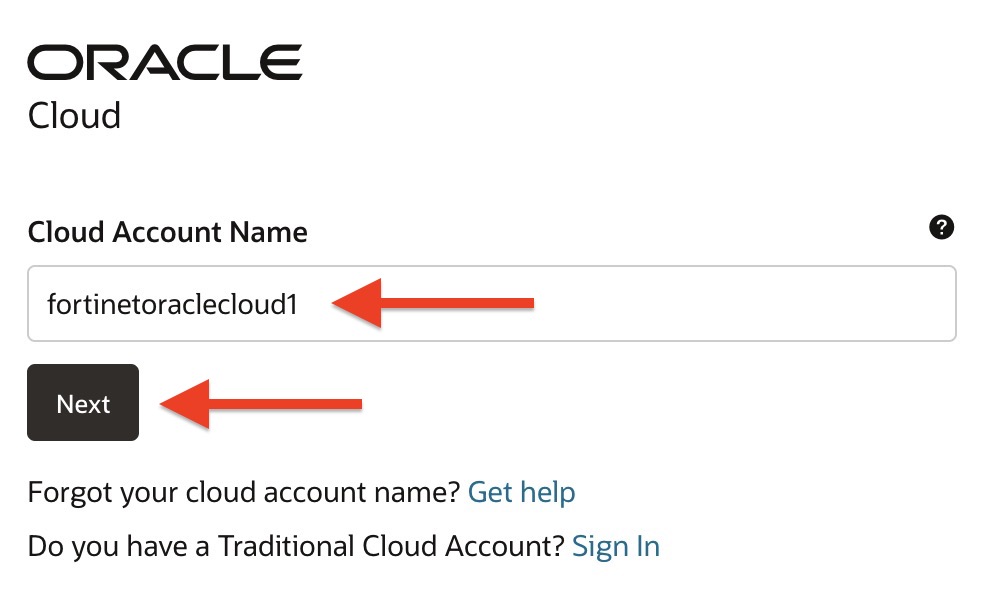
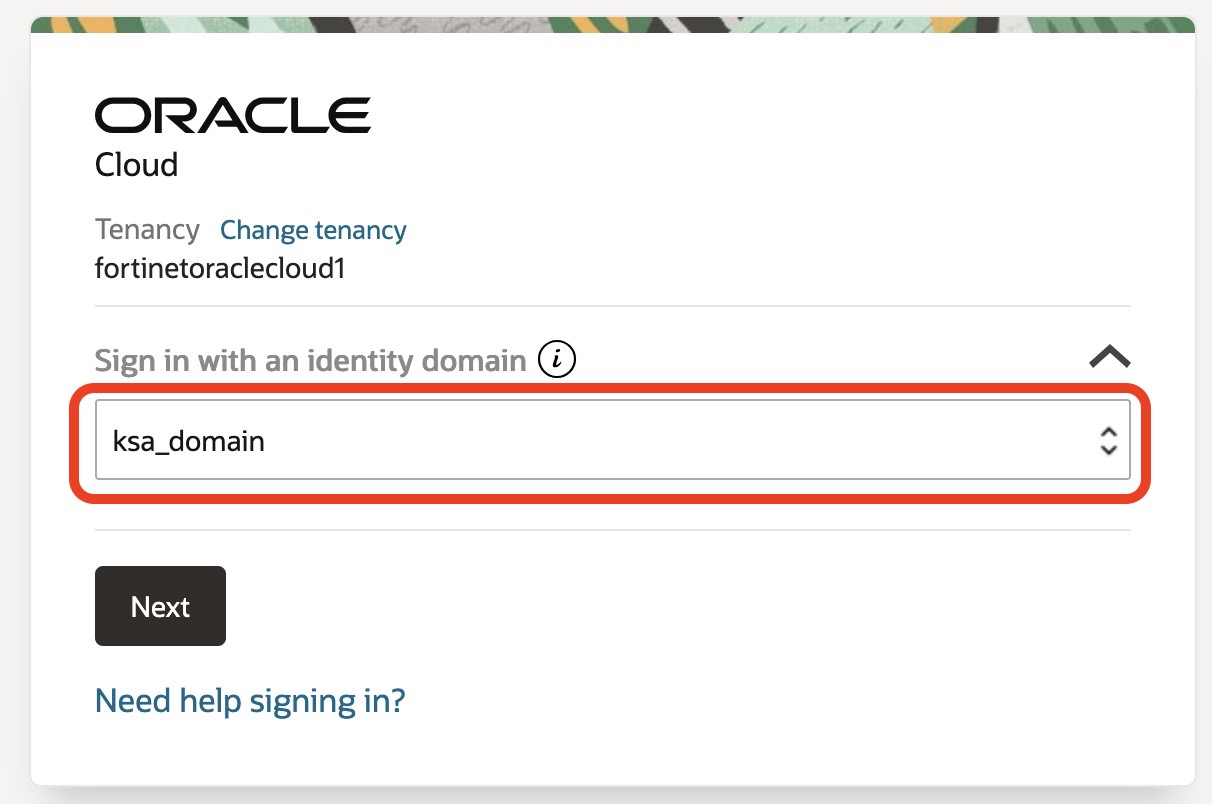
Choose the identity domain named ksa_domain from the dropdown list of domains.
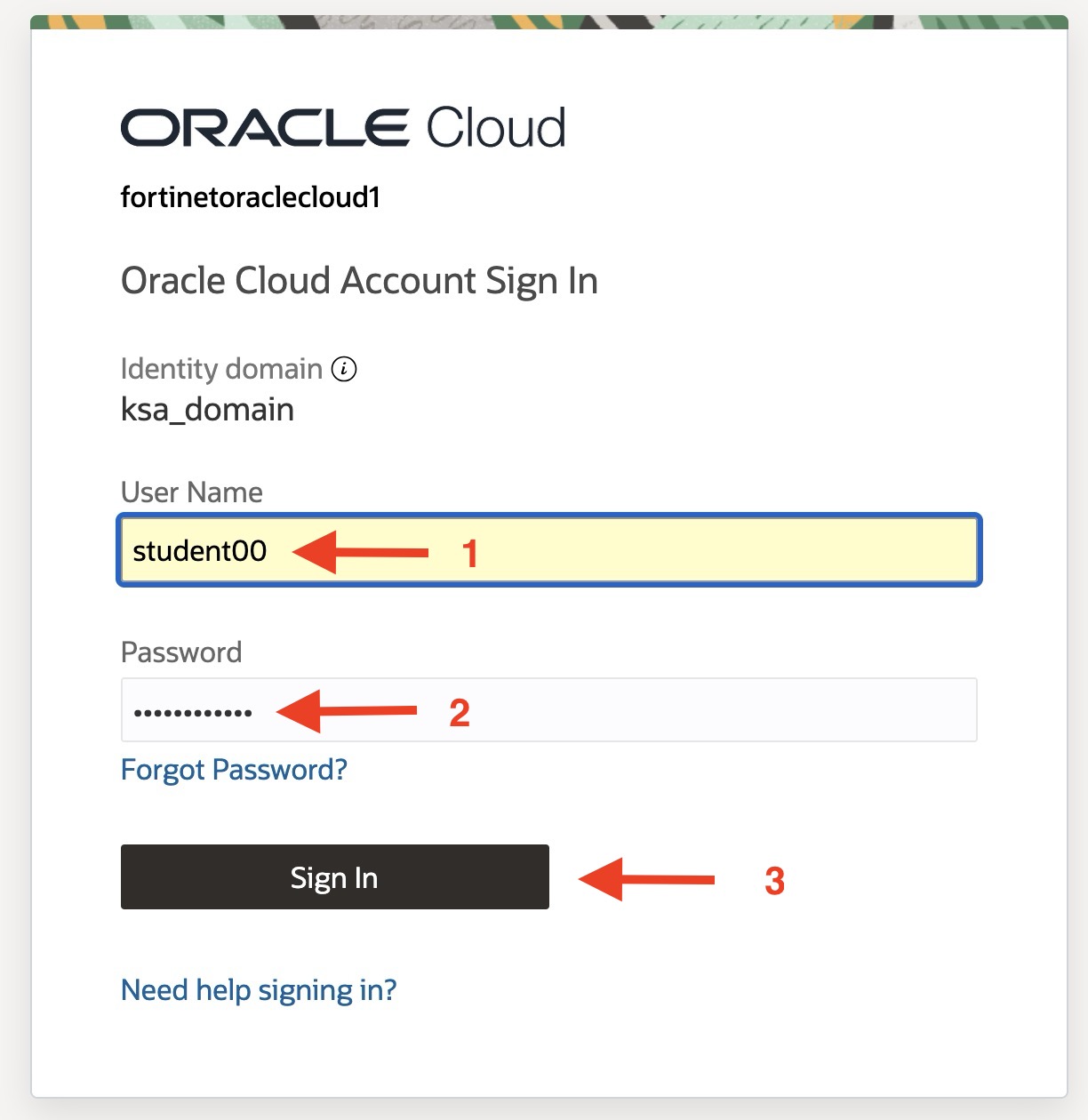
Enter the username and password displayed in the credential portal, then click Sign In.
Step 1.2: Change Oracle region
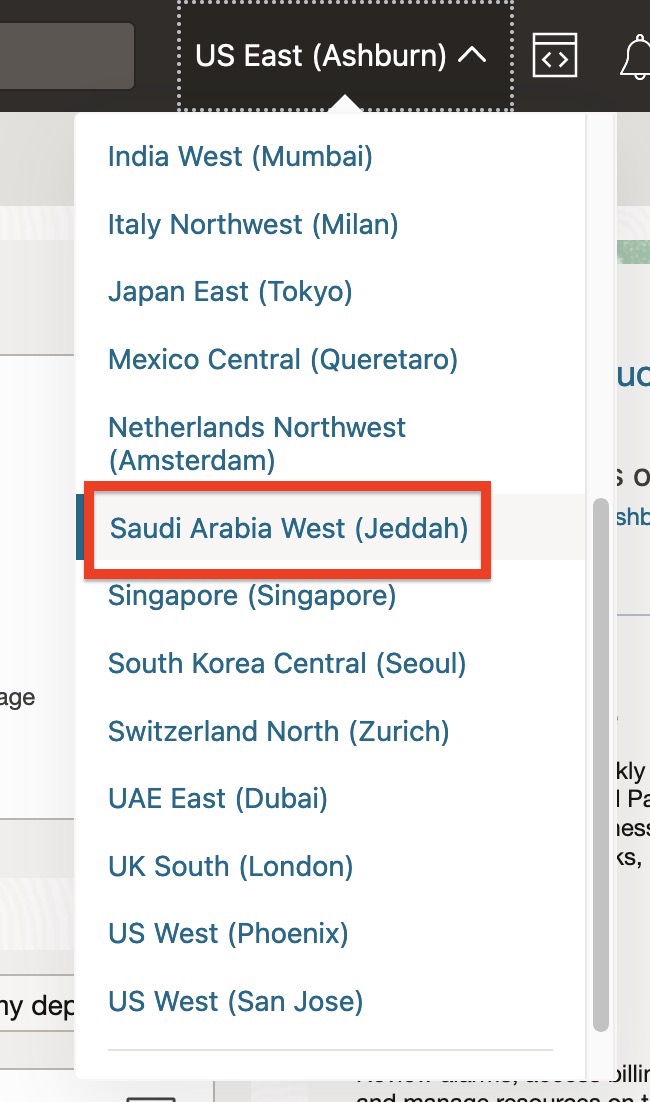
Change the Oracle region to Saudi Arabia West (Jeddah) using the region dropdown menu in the top-right corner.
Checkpoint
Before continuing, confirm that:
- You are logged in to the OCI Console.
- The identity domain is set to ksa_domain.
- The region is set to Saudi Arabia West (Jeddah).
Next section: